
Skills
Write your own instructions for work you ask for again and again, so the assistant does it your way every time.
A skill is a set of instructions for one kind of work: your weekly report, a customer letter, how you want meeting notes. Chat reads a skill whenever a request matches what it is for. Your skills are yours alone.
Write a skill
- Select Skills in the sidebar, then New skill.
- Fill in:
- Name: lower-case words joined by hyphens, such as
weekly-report. - When to use it: one or two sentences the assistant matches requests against, such as “When I ask for the weekly status report for the leadership team.” Be specific.
- Instructions: what to do and how, in Markdown: the structure, the tone, what to include and what to leave out.
- Name: lower-case words joined by hyphens, such as
- Save it.
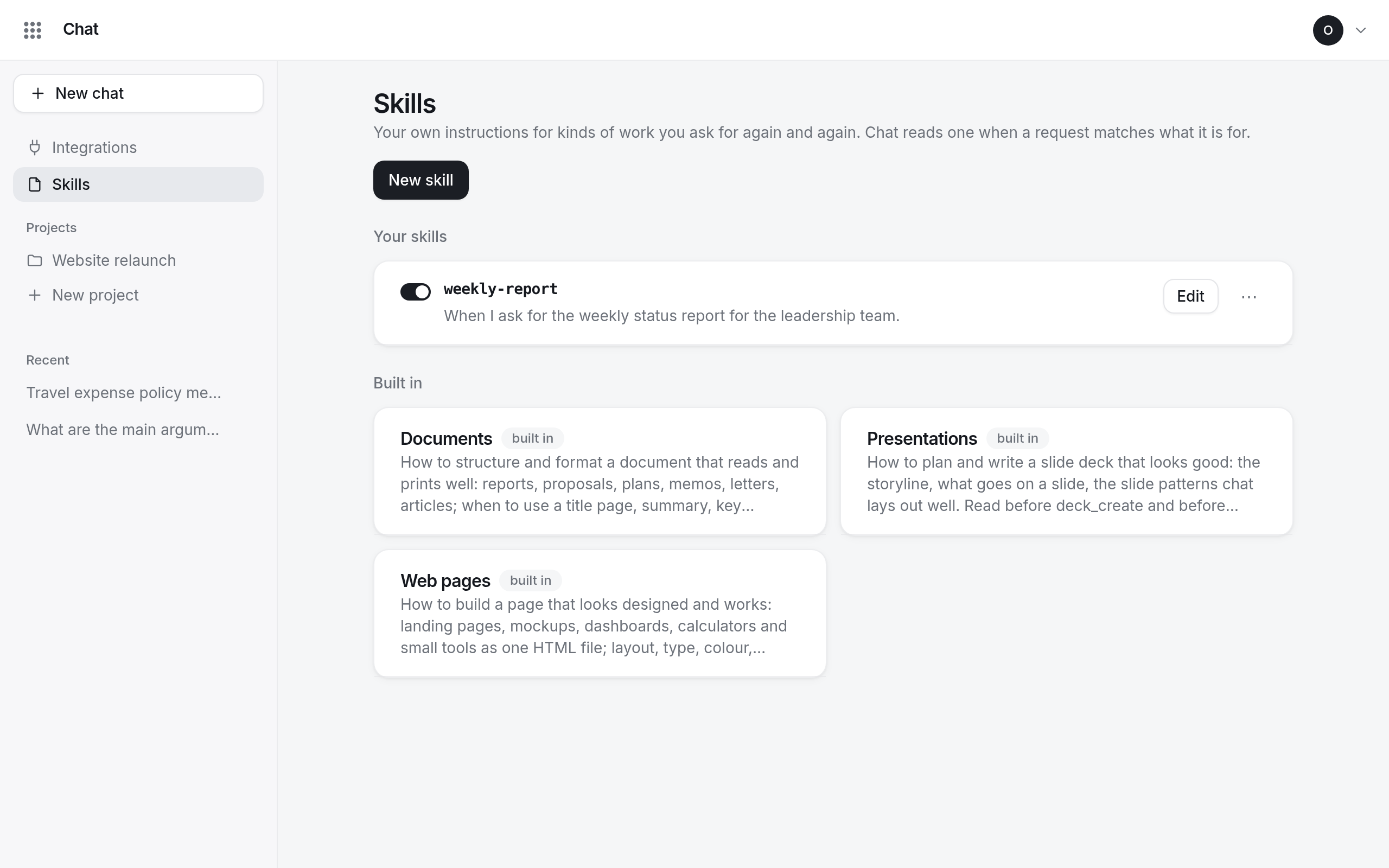
When the assistant uses a skill, a line under the answer says Read the skill “…”.
Turn a skill off, change or remove it
Each skill has a switch to turn it off without deleting it, Edit, and Remove in its ⋯ menu. You can have up to 20 skills.
Built-in skills
Chat comes with skills for Documents, Presentations and Web pages, marked built in. They teach the assistant how to write those well and cannot be changed.