
Documents, tables, decks and pages
Have the assistant write documents, tables, slide decks and web pages, then edit, style, copy and download them.
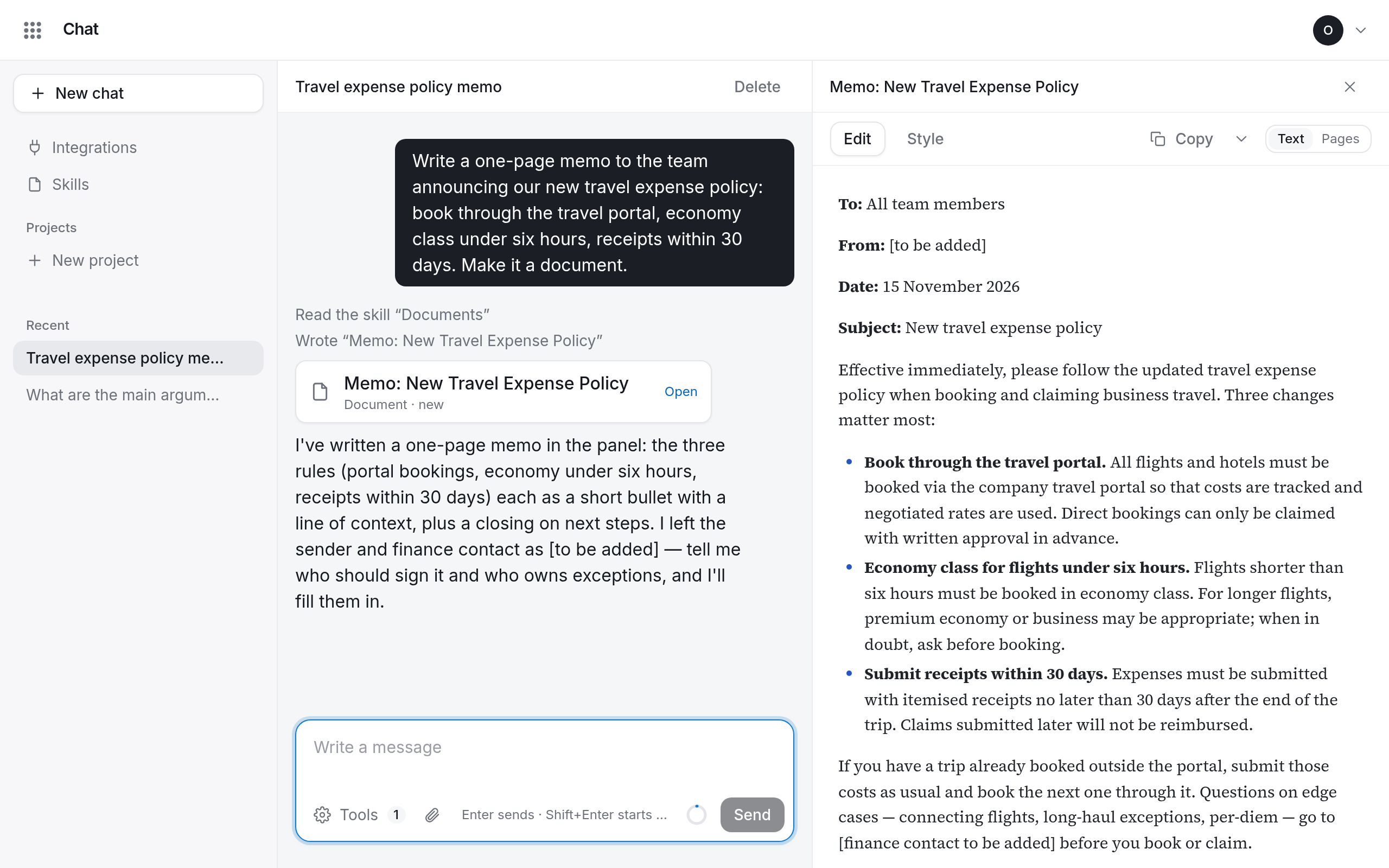
Ask for something you want to keep, such as “Write a one-page summary of the attached contract” or “Make a table of these offers”, and the assistant writes it as a document beside the conversation instead of only in its answer.
| Kind | What it is |
|---|---|
| Document | formatted text: reports, letters, summaries |
| Table | rows and columns, with charts |
| Deck | slides |
| Page | a web page that runs in your browser |
Open a document
A card in the answer names the document and its version; select Open. The panel opens beside the conversation, on a phone over it. With several documents, choose one in the menu at the top. Close (×) hides the panel; Documents at the top of the conversation brings it back.
For documents and decks, switch between Text and Pages (Slides for decks) to see them as they will print.
Change a document
- Ask in the conversation: “Make the introduction shorter”. Every change makes a new version.
- Edit it yourself: select Edit, change the text and select Save. Tables are changed by asking in the conversation.
Pick an earlier version in the Version menu to see it, and Restore this version to make it the latest again. If the document changed while you were editing, copy your text, close the editor and edit the latest version.
Style documents and decks
Select Style to set fonts, text size, colours, table style, numbered headings, paper size, margins, page numbers, a running header and your logo (PNG, JPEG or SVG, up to 512 kB).
- Save for this document applies the style to this one.
- Make my default applies it to every document without a style of its own.
Copy or download
Copy copies the document. The menu next to it has every other way out:
| Kind | Copy | Download |
|---|---|---|
| Document | text, Markdown | PDF, Word, Markdown |
| Deck | text, Markdown | PDF, Markdown |
| Table | the table | Excel, CSV |
| Page | HTML | HTML |
Limits
A document holds up to 100,000 characters. A table holds up to 5,000 rows and 40 columns, and a chart up to 8 series of 60 points.