
Members and roles
Change members' roles, give them apps such as a Chat seat, and remove people from your organization.
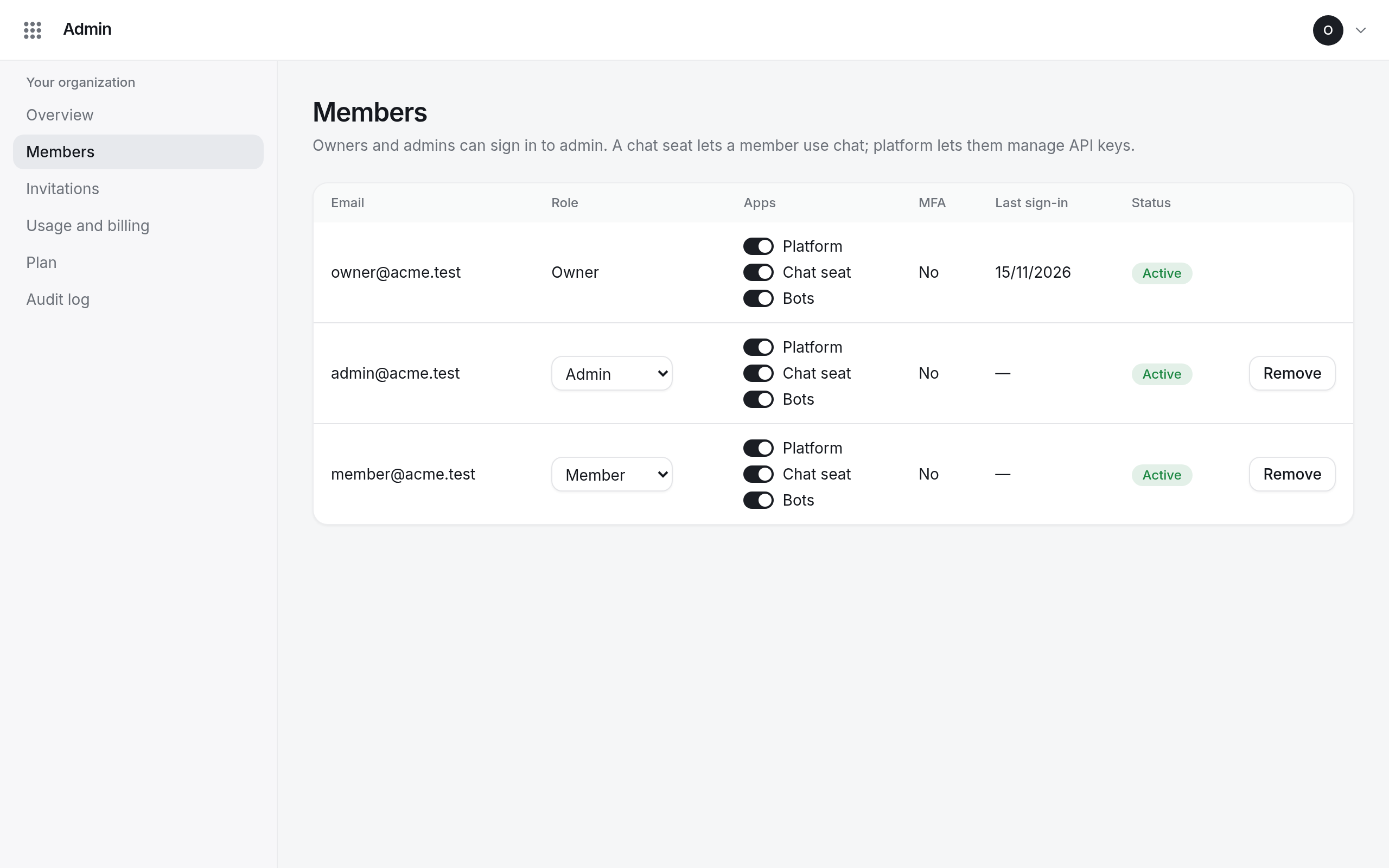
Open Members in Admin. The table lists everyone in your organization with their role, their apps, whether they use two-factor authentication, and when they last signed in.
Roles
- Owner and Admin can open Admin and manage members, invitations and billing.
- Member uses the apps they are given.
Change a role in the Role column. Some changes are reserved:
- You cannot change your own role or remove yourself.
- Only owners can make someone an owner, or change an owner's role.
- The last owner always stays an owner.
Give someone an app
The Apps column has a switch for each app your organization has:
- Chat seat lets the member use Chat. Each seat is billed; see your plan.
- Platform lets the member manage API keys and memories.
- Bots, if your organization takes part in the beta.
A change takes effect within about 15 minutes.
Remove someone
Select Remove in their row. They lose access to every app and their account is deleted.